Version Control
 You can control the version by visiting the different versions of the files or a group of files by recording these changes through the version control where you can return a file or project to the previous version, and you can easily correct these errors in the files.
Types of version control:
- Local Version Control
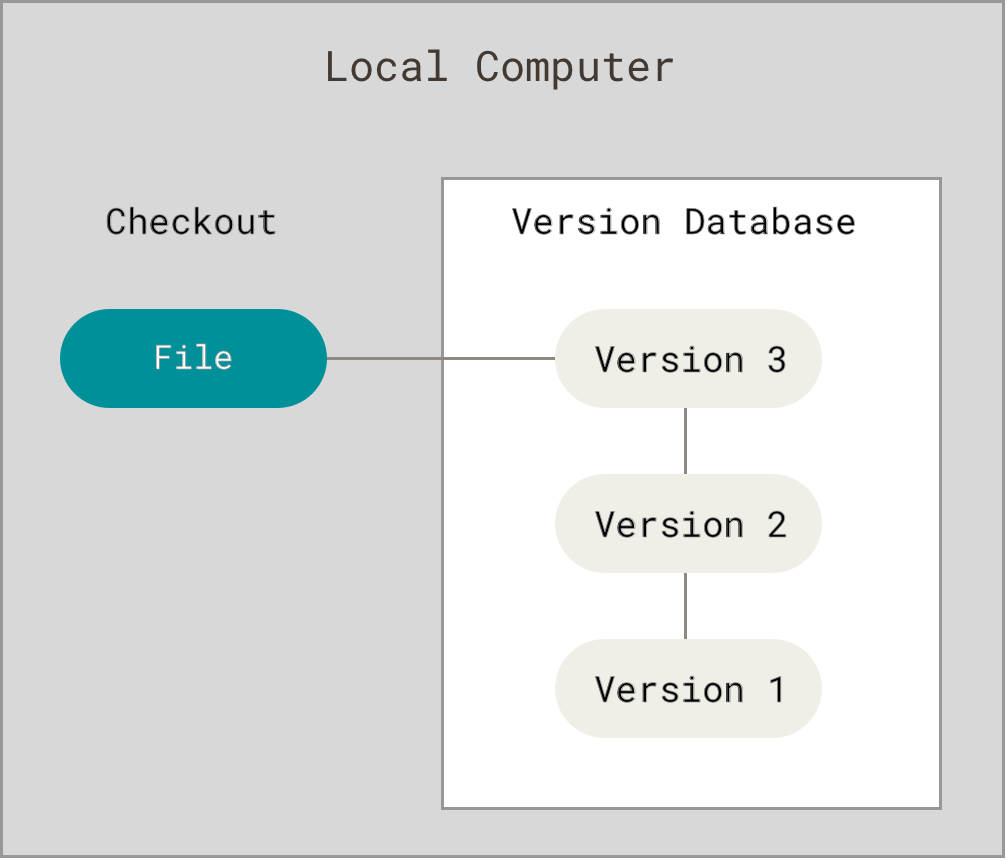
A Local version control systems entails one database on your disk that stores changes to files.
- Centralized Version Control
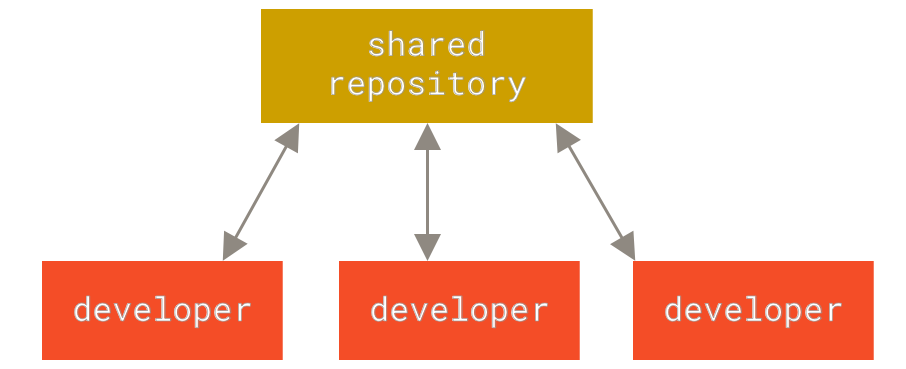
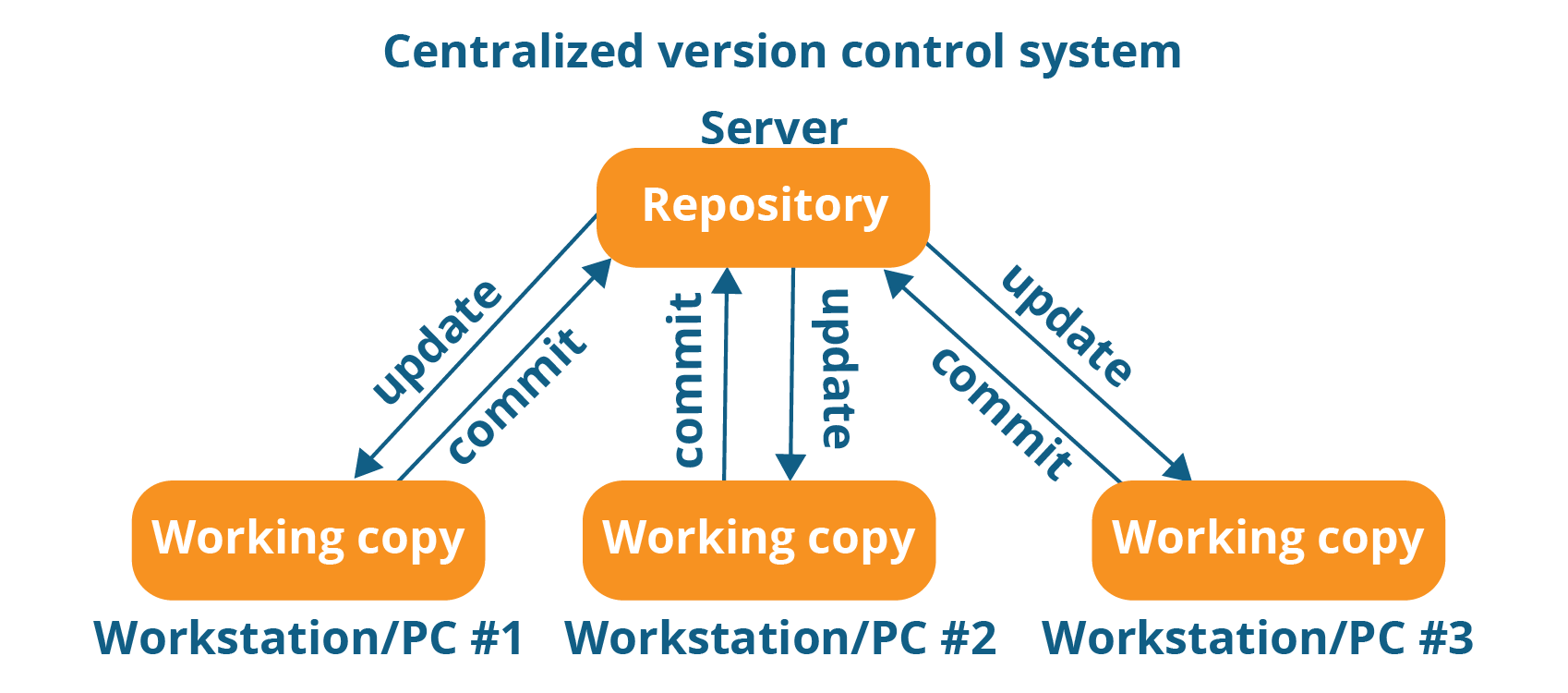
This system entails a single server storing all changes and file versions, which can be accessed by various clients. This streamlined the collaboration process (by eliminating the need to involve all local databases), allowed programmers to have more knowledge of team members’ activities with certain files, and gave administrators much more control over divvying up revision privileges.
- Distributed Version Control
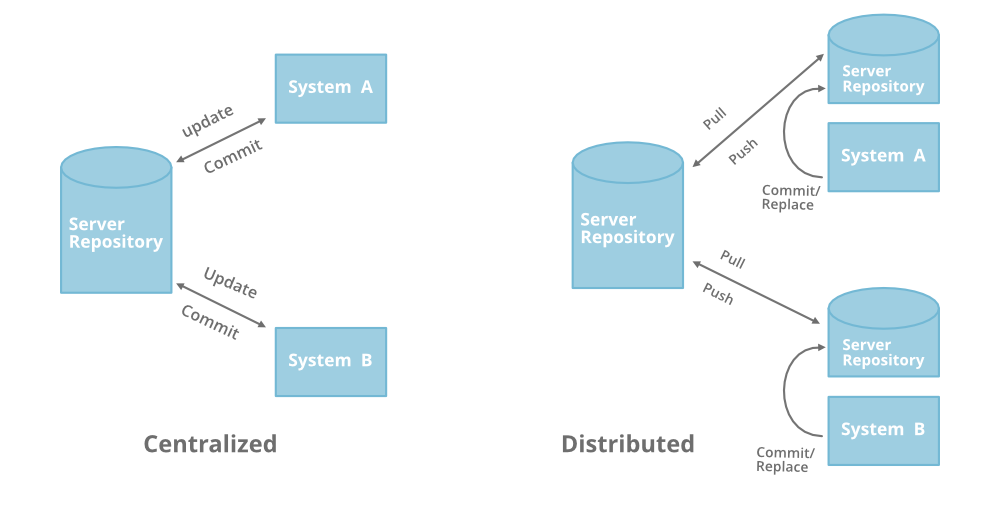
A Distributed Version Control systems (DVCS) addresses the major vulnerability of the CVS: the server as a single point of failure. If a CVS goes down, collaborators cannot work with each other on a file or save changes and new versions. Also, in the event of corruption of a central database’s hard disk — with the absence of backups — all work will be lost, except for any portions on local machines.
what is Git?

Snapshots: Git is a DVCS that stores data in a file system made up of snapshots. Each time you save a changed version of your project — called commit — Git creates a snapshot of the file and stores a reference to it. If the file has not changed, Git only stores a reference to the already-stored identical version of it.
Local Operations Git mostly relies on local operations because most necessary information can be found in local resources. This allows for process expediency because a project’s history resides on the local disk, eliminating the need to fetch history information from the server, and allowing one to continue work on a project even when not online or on a VPN.
Tracking Changes Every single change applied to any file or directory is tracked by Git. And, as the gatekeeper, Git will always detect file corruption or loss of information in transit.
Loss of Data Git is set up to greatly minimize the possibility of irreversible damage to files, such as accidentally lost data. Git makes it extremely difficult for a snapshot of your file that is committed to be lost.
States Files in Git can reside in three main states: committed, modified and staged.
Committed
Data is securely stored in a local database
Modified
File has been changed but not committed to the database
